BlinkReminder - A Native macOS Eye Care App
BlinkReminder 👀
A minimal, native macOS menu bar application designed to reduce digital eye strain. It gently reminds you to blink and look away from your screen every 20 minutes (following the 20-20-20 rule).
Features
- Menu Bar Workflow: Runs unobtrusively in your menu bar.
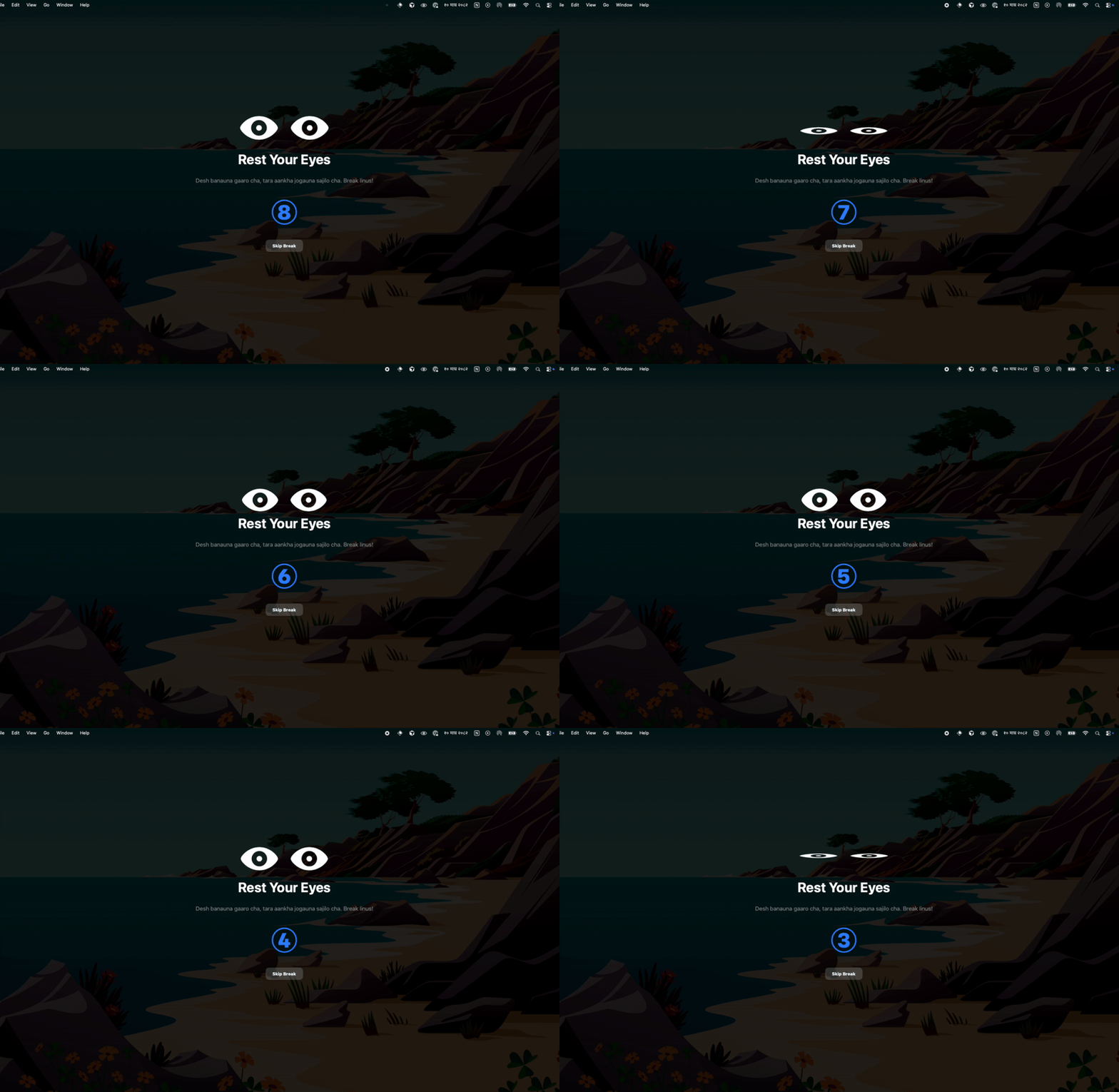
- Smart Overlay: A full-screen, dimming overlay guides you through a 20-second break.
- Pause/Resume: Easily pause reminders during meetings or movies.
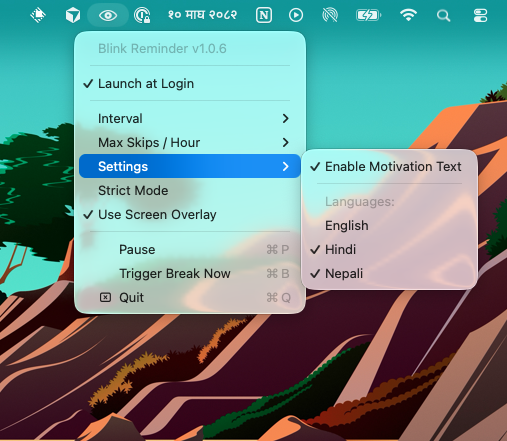
- Customizable Intervals: Choose from 20, 10, or 5-minute intervals.
- Notification Mode: Fallback to system notifications if you prefer not to use the overlay.
- Motivations: Randomly displayed motivations, you can choose from (Nepali, English, Hindi)
Installation
Option 1: Homebrew (Easiest)
You can install BlinkReminder directly from this repository:
brew tap ntn0de/blink-reminder https://github.com/ntn0de/blink-reminder
brew install --cask blink-reminder
Updating
To update BlinkReminder to the latest version via Homebrew:
brew update
brew upgrade --cask blink-reminder
Option 2: Build from Source
-
Clone the repository:
git clone https://github.com/ntn0de/blink-reminder.git cd blink-reminder -
Build the app:
./build.sh -
Install: Move the app to your Applications folder (critical for notifications to work):
mv BlinkReminder.app /Applications/ -
Run: Open
BlinkReminderfrom your Applications folder.
Usage
- Start the App: You will see a small “eye” icon (👀) in your menu bar.
- Take a Break: When the timer hits, a screen overlay will appear. Follow the breathing exercise and look away for 20 seconds.
- Pause: Click the menu bar icon and select Pause to temporarily stop the timer.
- Settings:
- Interval: Change the frequency of breaks (default is 20 minutes).
- Use Screen Overlay: Uncheck this to receive standard macOS notifications instead of the full-screen overlay.
Troubleshooting
-
”App is damaged” or can’t open: Because this is a self-signed app, macOS might flag it. You can fix this by running:
xattr -cr /Applications/BlinkReminder.appAlternatively, right-click and select Open the first time, or go to System Settings > Privacy & Security to allow it.
-
No Notifications: Ensure the app is in the
/Applicationsfolder and that “BlinkReminder” is allowed in System Settings > Notifications.
Source Code
The app is fully open source and available on GitHub:
License
MIT License
Found this helpful?
I share technical insights and Shopify growth strategies regularly. Let's connect if you're building something great.
Get in touch